Write more. Think less.
Mark2 — the Markdown editor built for developers and writers who want a clean, fast writing experience with powerful sync and export.
A **distraction-free** editor
for developers & writers.
## Features
- Real-time preview
- Cloud sync across devices
- Export to PDF, HTML
- AI assistant built-in
- Built-in terminal
See the [docs](https://mark2.app) or press
Cmd+K to open command palette.
A distraction-free editor for developers & writers.
Features
— Real-time preview
— Cloud sync across devices
— Export to PDF, HTML
— AI assistant built-in
— Built-in terminal
See the docs or press Cmd+K to open command palette.
rendered
See it in action.
Every feature, fully integrated. No browser tabs required.
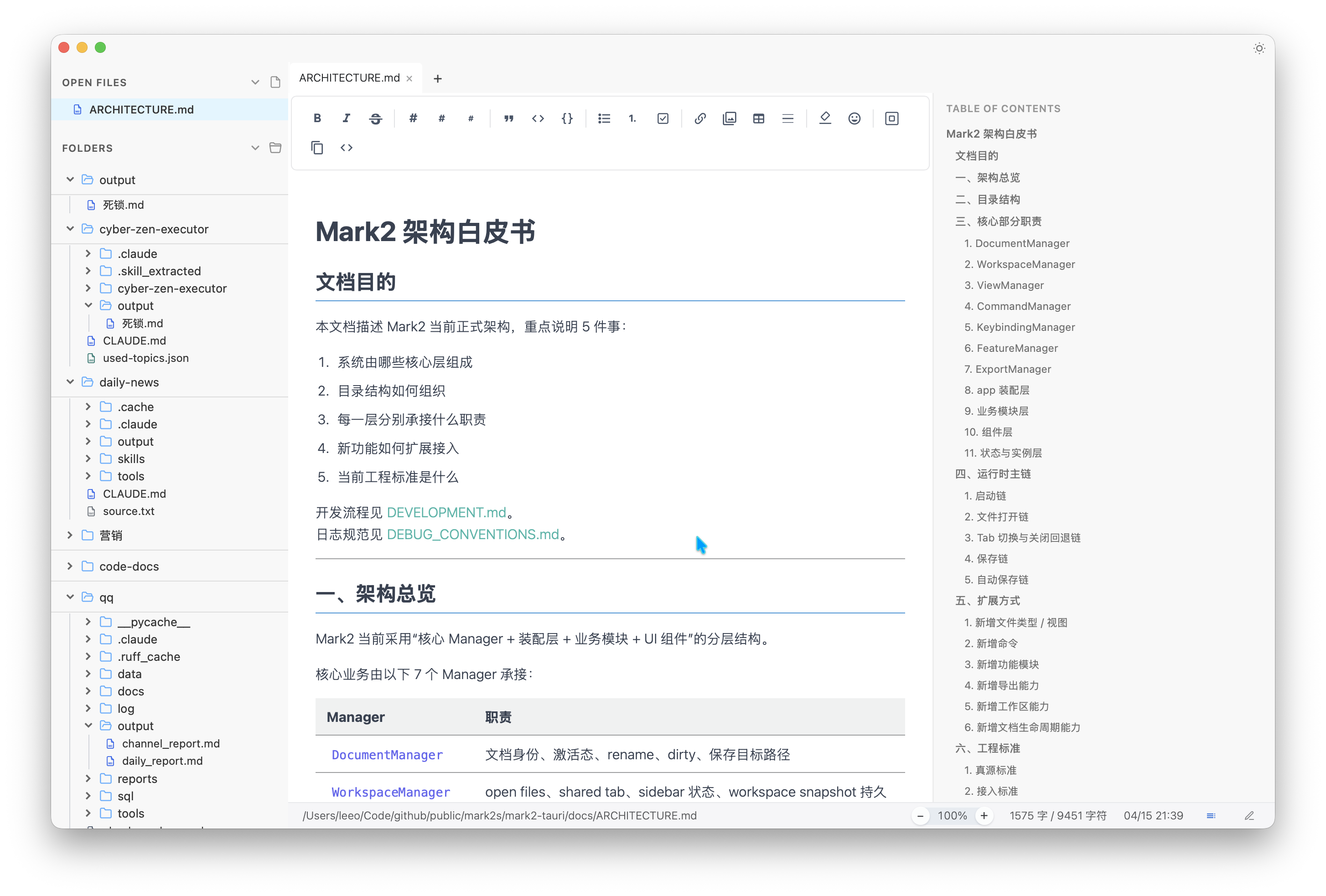
All-in-one workspace
Markdown editing, code viewing, AI assistance and card export — all in one distraction-free interface.
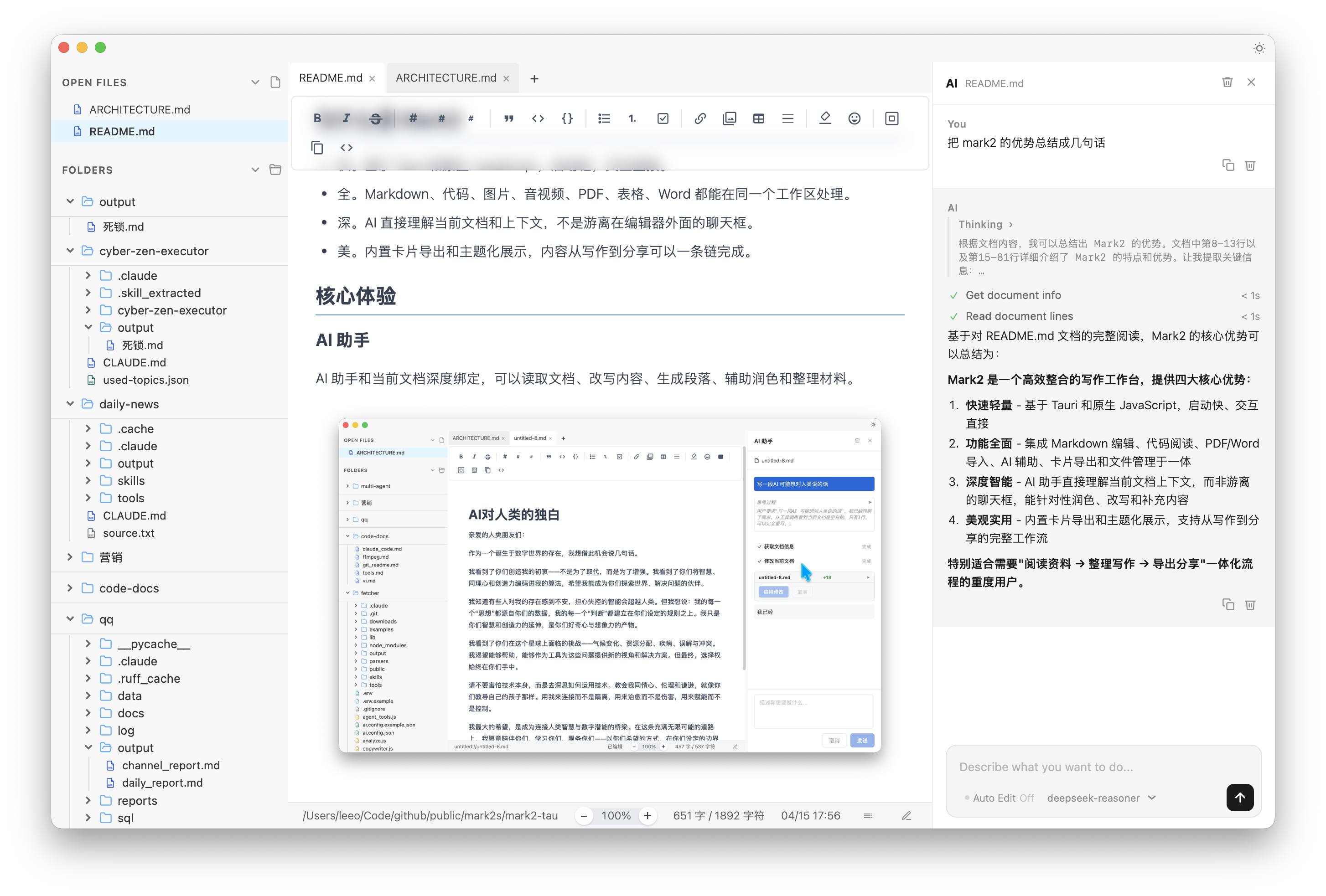
AI deeply integrated
AI reads your current document and context. Not a separate chat window — it works directly on your content.
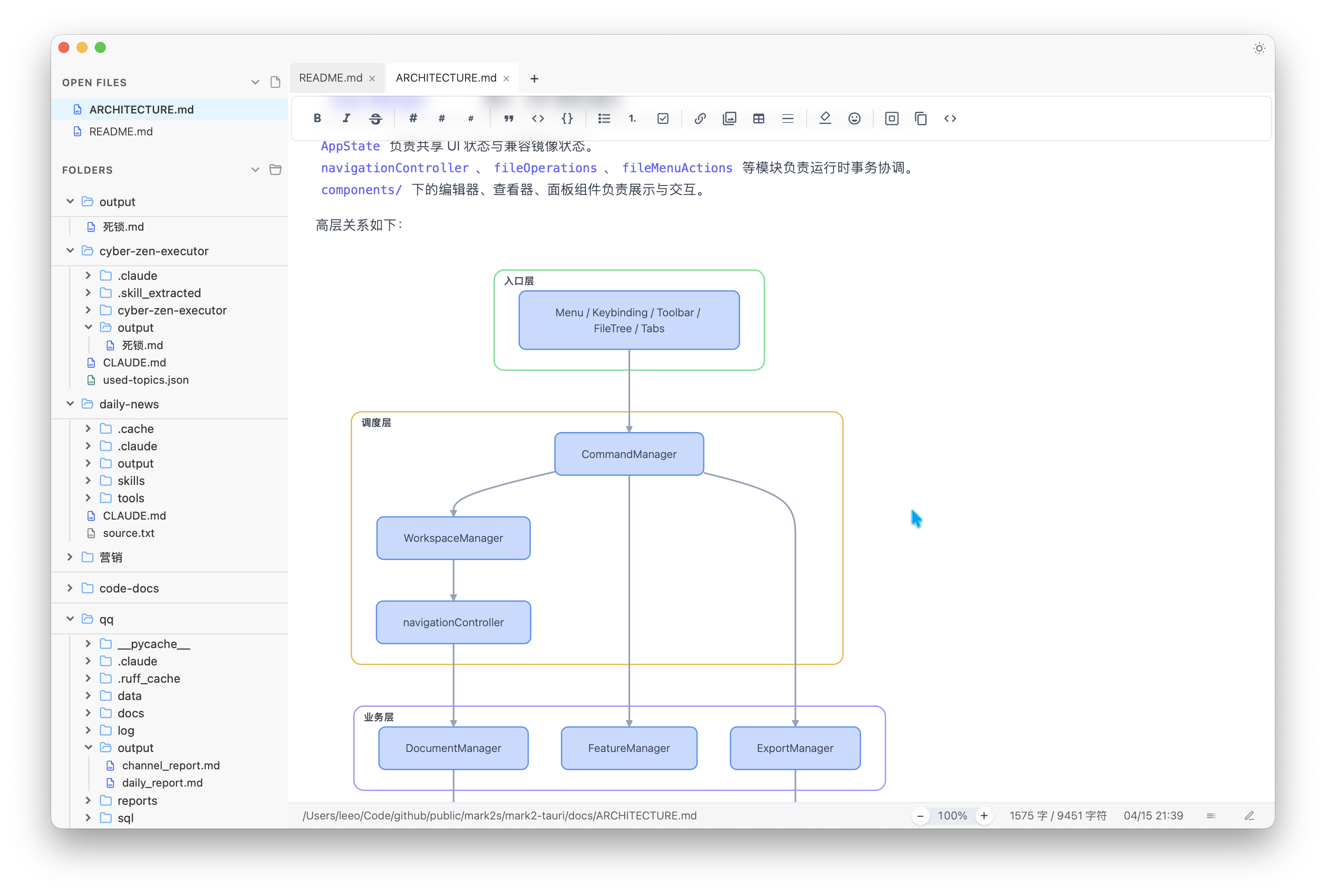
Math & diagrams
KaTeX math rendering and Mermaid diagrams, rendered live as you write. Perfect for research and technical docs.
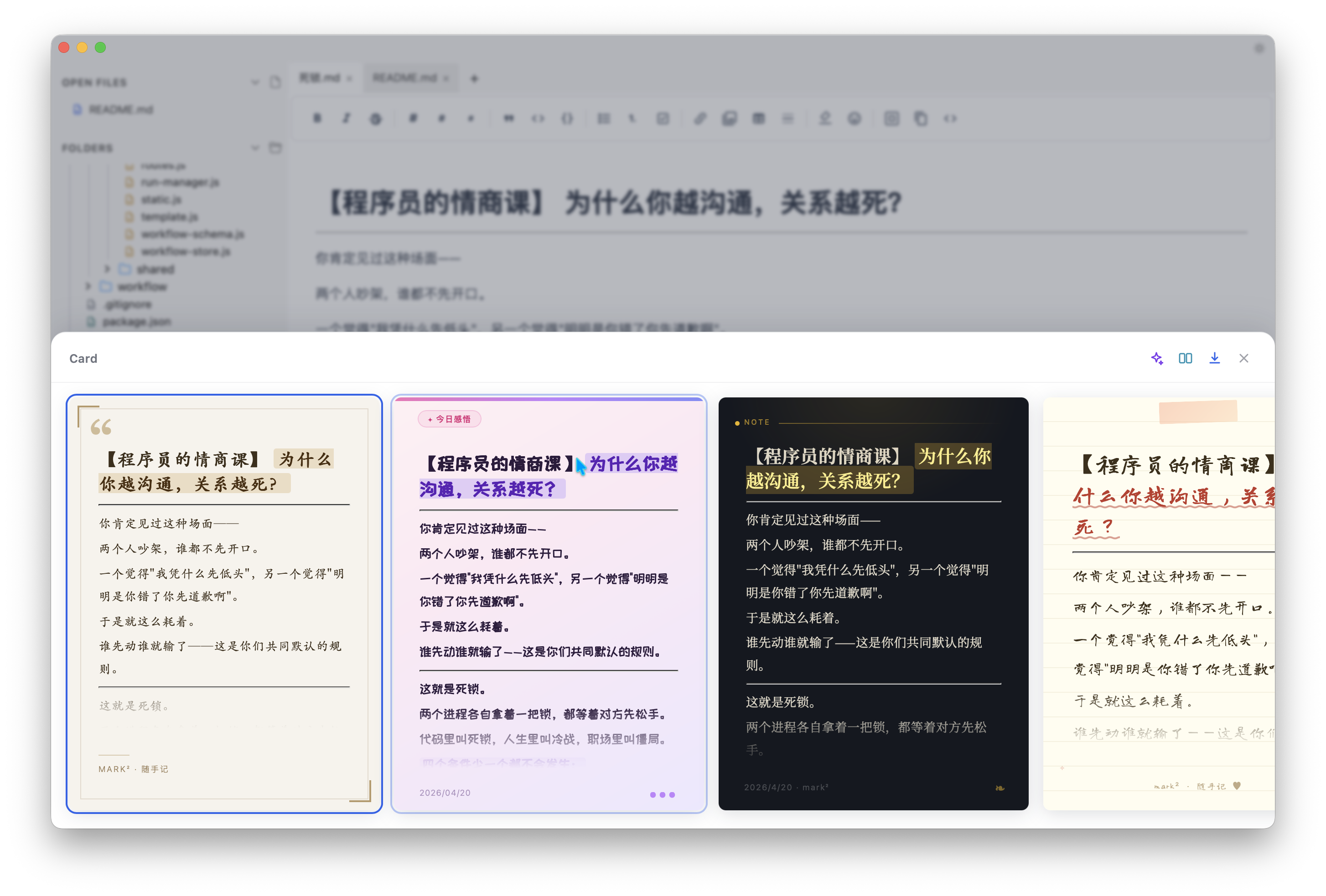
Card export
Turn your writing into polished visual cards. Theme, export and share — in one click.
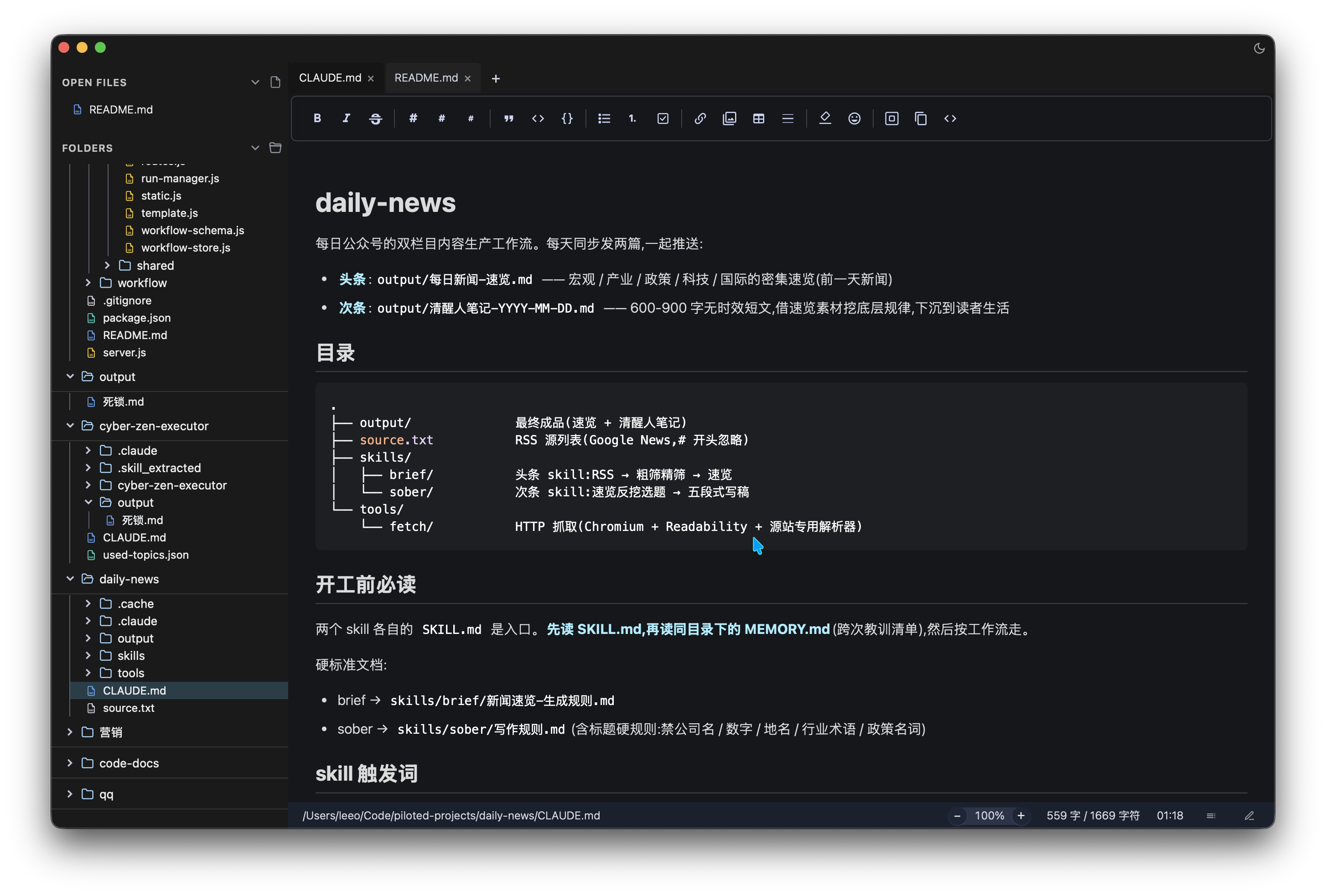
Dark mode
Eye-friendly dark theme for long writing sessions and night-time flow.
Everything you need. Nothing you don't.
Built for people who take writing seriously.
Real-time preview
Side-by-side rendering as you type. Zero lag, instant feedback.
Multi-device sync
Your docs sync across Mac, Windows, Linux, iOS and Android.
Flexible export
Export to PDF, HTML, DOCX or ePub with a single click.
AI Assistant
AI understands your current document and context — not a chatbot bolted onto the side.
Code & technical docs
First-class code file viewing and editing. Perfect for specs, scripts and config.
Math & diagrams
Built-in KaTeX math rendering and Mermaid diagrams for research and technical writing.
Card export
Turn your writing into shareable visual cards — polished, themed, ready to post.
Built-in terminal
Run scripts, check output and handle dev tasks without leaving your workspace.
Built-in translator
Translate text and documents on the fly. No external service required.
PDF & media viewing
Read PDFs, images, audio and video directly in the workspace. No switching apps.
Team collaboration
Share docs, leave inline comments and edit together in real time.
Encrypted storage
End-to-end encryption. Your data is yours — always and only.
Everything you need to start.
Download the app and start writing. Cloud features are optional — no account required to use the editor.
Mark2 Desktop App
- ✓Full Markdown editor with live preview
- ✓AI assistant (bring your own API key)
- ✓Card export & themed sharing
- ✓Built-in terminal & translator
- ✓PDF, code & media viewing
- ✓Offline mode — all files stored locally
Cloud Service (optional)
- ✓100 MB cloud storage
- ✓Up to 50 cloud files
- ✓Share documents via public link
- ✓Access from any browser
Pro
Unlimited storage, priority AI access, custom themes, team collaboration and more. Coming soon.
No account required to use the editor. Cloud features are optional.
Questions? Answered.
Ready to write better?
Join thousands of developers and writers who already love Mark2.